
Crypto acquiring
Accept crypto in your online shop
The customer pays USDT on the TRON network (TRC-20), the network confirms the transfer in about a minute, and the money lands in your own wallet.
- An invoice in the shop1,595.00 ₴ at the National Bank rate
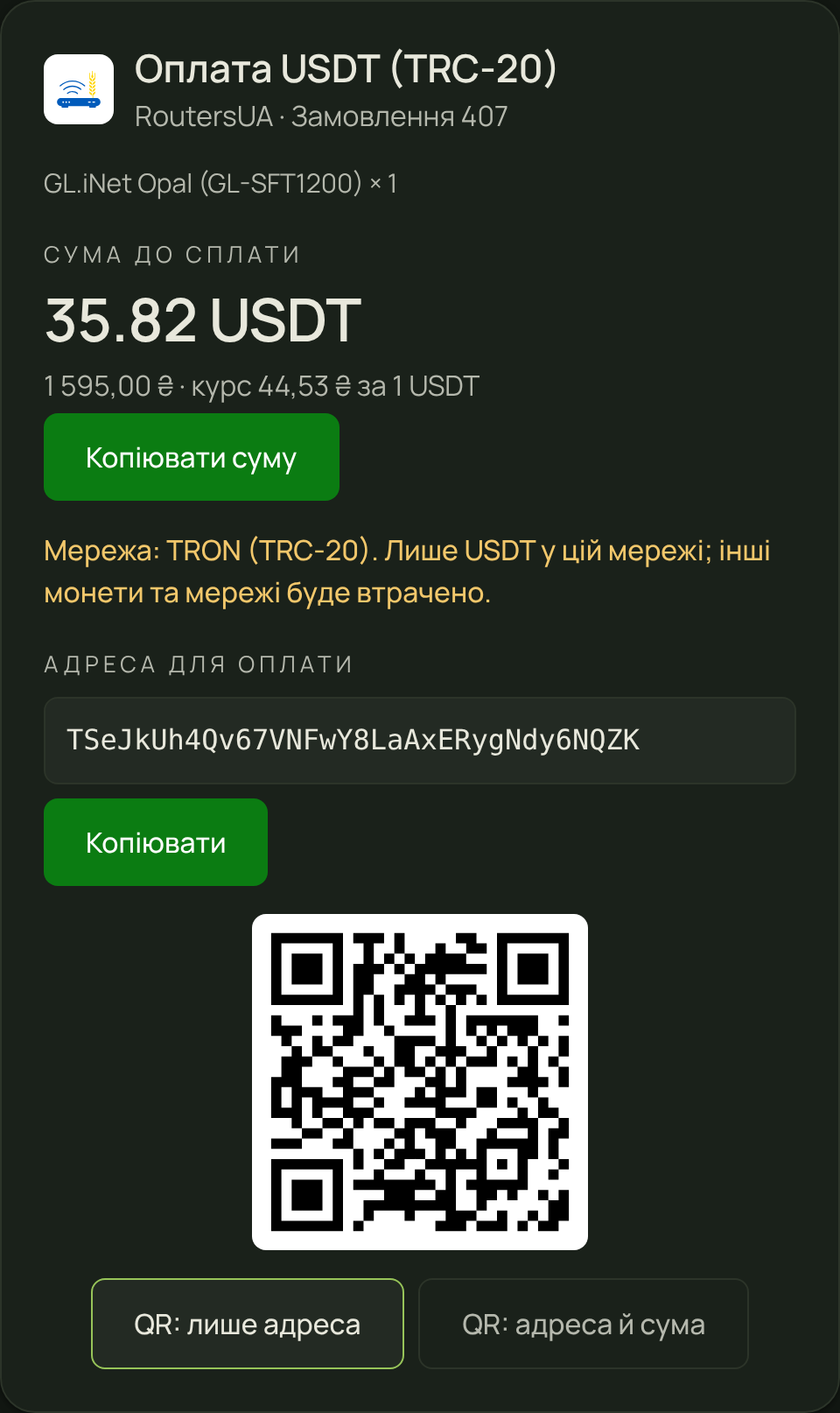
- The customer pays USDT35.82 USDT · TRON (TRC-20)
- The money in your walletwithin a minute, our fee 1 %
How it works
The shop issues an invoice
The module or the API creates an invoice for the order total in hryvnia. The National Bank rate of that moment is locked for an hour.
The customer pays
The payment page shows the address, the USDT amount and a QR code, in Ukrainian, Russian or English, under your brand.
The money is yours
The network confirms the transfer in about a minute. The shop receives a signed notification, the order is paid, and the USDT is sent on to your wallet.
GemiGuard Pay on customer sites


Pricing
1 %
of every paid invoice
- No monthly fee and no setup fee.
- Our fee is seamlessly deducted from incoming payments.
- Rate: the official National Bank of Ukraine rate at the moment of the invoice plus 1 %.
Example: an order on routersua.com
Integrations
OpenCart 3
A module for OpenCart 3.0.x. It installs through Extensions → Installer; the settings take the API key and the notification secret and map the order statuses.
Download the moduleocStore 3
The same module, proven on ocStore 3.0.3.7: routersua.com runs on it. The interface comes in Ukrainian, Russian and English.
Download the moduleOpenCart 4
An extension for OpenCart 4.0.2 and newer. It installs through Extensions → Installer, with the same settings as the OpenCart 3 module.
Download the extensionWooCommerce
An extension for WordPress 6.4+ and WooCommerce 8+: the classic checkout and the Checkout block, with Ukrainian and Russian interface languages.
Download the extensionAPI for your own site
Three calls: create an invoice, send the customer to the payment page, verify the notification signature. Examples in PHP and Node.js.
Open the documentationWhat sets it apart
The money sits in your wallet
We never hold merchants’ funds: every confirmed payment is forwarded to the address you gave when you connected.
One address per invoice
Customers never mix up payments, and you see every order on its own.
Signed notifications
Every notification to the shop is signed with your secret and retried for almost two days if the site is briefly unreachable.
A payment page in your branding
Your shop’s logo and colour, three languages, a timer and the live status of the transfer.
Questions
Which coins and networks are supported?
USDT on the TRON network (TRC-20), the way stablecoins are most often sent in Ukraine. Other coins and networks are added at merchants’ request.
Where does the money go?
To the wallet you name when you connect. Every invoice gets its own address; once confirmed, the whole balance is forwarded to you. We pay the TRON fee for that transfer.
What if the customer sends less?
A shortfall within 1 % or 0.05 USDT counts as paid. A larger one leaves the invoice open until the hour ends, and the customer can send the rest. Whatever arrived is forwarded to you, and the shop receives an underpayment notification and decides about the order itself.
And if they send more?
Everything that arrived is forwarded to you. The notification carries the excess, so the shop can refund the difference to the customer.
How long is an invoice valid?
One hour. For your shop the window can be set from 10 minutes to a day. The rate is locked for that time, and a transfer confirmed later is still credited.
How do I connect?
Write to us by email, Telegram or Signal. We create your merchant account and send the API key and the notification secret; the module takes them in two fields.